
How to Turn Off Fire Alarm: The Right Way to Silence the Noise Without Sacrificing Safety

Let’s suppose, it’s 3:00 AM. You’re fast asleep when suddenly—BEEP! BEEP! BEEP!—your fire alarm starts shrieking. Your heart jumps, your dog starts barking, and you scramble out of bed. But… there’s no smoke, no fire—just a loud, relentless alarm.
Whether it’s triggered by burnt toast, a low battery, or something more serious, knowing how to turn off a fire alarm the right way can save you from stress, hearing damage, and even legal risks if it’s connected to a building system. In this post, we’ll break down how these alarms work, how to safely and properly turn them off, and what to do to prevent false alarms in the future.
What Triggers a Fire Alarm?

Before you attempt to shut it off, it’s important to understand what might have caused the alarm. A fire alarm is designed to detect danger—so always rule out actual emergencies first.
Common Reasons Fire Alarms Go Off:
- Smoke from cooking (burnt toast, frying)
- Steam from showers or boiling water
- Aerosol sprays like hairspray or air fresheners
- Dust, construction debris, or insects
- Low or dying batteries
- Wiring issues or system malfunction
- Actual smoke, heat, or fire
Step-by-Step Guide: How to Turn Off a Fire Alarm
The process varies slightly depending on whether you have a battery-powered, hardwired, or interconnected alarm system.
1. First, Confirm There’s No Danger

- Quickly check your surroundings for smoke, flames, or heat.
- If there is any sign of fire, do not turn off the alarm—evacuate immediately and call emergency services.
- If it’s a false alarm (e.g., steam or cooking), move on to the next steps.
2. Silence the Alarm
For Battery-Operated Alarms:
- Locate the unit making the noise.
- Press the “Silence” or “Hush” button, usually located on the front.
- If the alarm continues:
- Remove the alarm from its mounting plate.
- Open the back panel and take out the battery.
- Wait 10–15 seconds.
- Reinsert the battery and test the unit.
For Hardwired Alarms (Connected to House Wiring):
- Press the “Silence” button first.
- If that fails, turn off the circuit breaker connected to the alarm system.
- Unmount the alarm and unplug it from its connector.
- Caution: Only do this if you’re sure there’s no fire and you’re comfortable working around electrical devices.
3. Reset the Alarm

After silencing the unit:
- Hold the Reset or Test button for 15–20 seconds until the alarm beeps.
- This tells you it has restarted and is functioning properly.
4. Clear the Area
If the alarm was triggered by:
- Steam or cooking smoke: Open windows, turn on fans, and ventilate the room.
- Aerosols or sprays: Stop using them near the detector.
- Dust or insects: Use a vacuum to gently clean the alarm’s sensor area.
5. Reinstall and Monitor
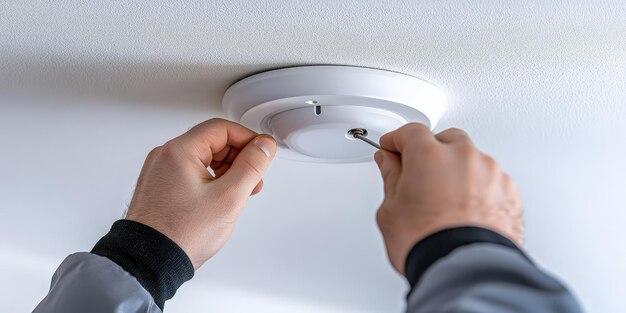
Once cleared and reset:
- Reinstall the detector.
- Monitor the environment for recurring false alarms.
- Replace batteries if they’re old or weak.
How to Prevent False Alarms
Prevention is just as important as response. Here’s how to reduce the chances of false alarms:
- Install alarms at least 10 feet from stoves and ovens.
- Avoid placing them near bathrooms, where steam can trigger them.
- Use photoelectric alarms in kitchens—they’re less sensitive to steam and small smoke particles.
- Regularly clean alarms with a vacuum or dry cloth to remove dust and bugs.
- Replace batteries every 6 months or when the low-battery chirp starts.
- Replace alarms every 8–10 years. Most have expiration dates printed on them.
Safety Warning: What NOT to Do
- Don’t remove the alarm permanently just because it’s noisy.
- Don’t cover it with a plastic bag, towel, or tape to “quiet it down.”
- Don’t leave a disabled detector without fixing or replacing it.
- Don’t assume every alarm is a false one—check first.
Frequently Asked Questions
How long do you press the reset button?
Usually 15–20 seconds. If it doesn’t beep once and stop, try replacing the battery or checking power connections.
What if the fire alarm keeps beeping every few minutes?
That’s typically a low battery warning. Replace the battery or check for loose connections.
Can I disconnect a hardwired smoke alarm without setting off others?
In many systems, disconnecting one unit won’t affect others, but interconnected alarms may all go off together if one is triggered. Always follow the manufacturer’s manual.
Final Thoughts
A fire alarm is one of those devices we rarely think about—until it goes off at the worst possible time. But knowing how to turn off a fire alarm safely (and why it’s going off) can save your ears and your nerves.
Always investigate the cause, silence the alarm correctly, and keep your alarms in good working condition. A little attention now could be life-saving later. If your alarm is going off too often, it’s trying to tell you something. Learn from it, maintain it, and you’ll never have to panic at 3 AM again.